アプリ関連ニュース

ほぼiPadProなiPadAirが発売

昨日10月27日から第4世代のiPad Airの発売が始まりました。
ホームボタンが無くなったことにより狭ベゼルになり、
見た目はiPad Proにそっくりです。
見た目だけではなく、
iPad ProのようにMagic Keyboadや第2世代Apple Pencilに対応しています。

前世代のiPad AirはApple Pencilを使おうとすると
充電するために本体のLightningポートにApple Pencilを直接挿し込むか
Lightning メスtoメスアダプタを使って充電する必要がありましたが
第2世代Apple Pencilに対応したことで、
本体に磁力でくっつけることで充電することができるようになりました。

個人的に一番うれしいのは、本体の充電ポートがLightningポート から
USB Type-Cポートに変更された事ですね。
Android端末やモバイルPCと充電ケーブルを共有できて
持ち歩くケーブルの本数を減らせます。

電源ボタンを指紋認証センサーとしたのは
Android端末ではよく見かけますが
iPhoneやiPadでは初めてですね。
マスクを着用する機会が多くなったのでホームボタンが無くなっても
指紋認証に対応してくれているのはうれしいですね。
(外出先での使用頻度が高いiPhone 12シリーズにも
ぜひ指紋認証を搭載してほしかったですね。)

本体に加えてApple pencilやMagic Keyboadも合わせて
揃えようとすると10万円以上するのでなかなか手が出しずらいですが、
iPadOSのおかげでモバイルPCとしても使いやすくなったので
良い買い物かもしれませんね。

水曜担当:Tanaka


Adapter Design Pattern

The adapter is a structural design pattern that enables the collaboration of objects with incompatible interfaces.

You can create an adapter. This is a special object that converts an object’s interface so that another object can understand it.

An adapter wraps one of the objects to hide the complexity of the conversion that occurs behind the scenes. The wrapped object is not even aware of the adapter. For example, you can wrap an object that operates in meters and kilometers with an adapter that converts all data to imperial units such as feet and miles.

Adapters can not only convert data into various formats, they can also help objects with different interfaces to collaborate. Is that how it works:

The adapter gets an interface, compatible with one of the existing objects.
With this interface, the existing object can safely call the adapter’s methods.
Upon receiving a call, the adapter passes the request to the second object, but in the format and order expected by the second object.
Sometimes it is even possible to create a bi-directional adapter that can convert calls in both directions.

Lets look at the example I created as below.

PHP Sample Code

<?php
/**
 * The original interface that is working as normal
 */
interface Socket
{
    public function input();
}
/**
 * This is the simple class that follows the existing target interface `Socket`
 */
class twoPinSocket implements Socket
{
    public function input()
    {
        echo "two pin input";
    }
}
/**
 * This is the conversion class (might be 3rd party service code as well) that will be used later in adapter class.
 */
class conversion
{
    public function changetoThreePin()
    {
        echo "changed to three pin => three pin input";
    }
}
/**
 * This is the adapter class implementing the original target interface linking with conversion class.
 * this will product the format that is second object want.
 */
class threePinSocket implements Socket
{
    private $conversion;
    public function __construct(conversion $conversion)
    {
        $this->conversion = $conversion;
    }
    public function input()
    {
        $this->conversion->changetoThreePin();
    }
}
/**
 * The existing twoPinSocket class that follows the target interface.
 */
$socket = new twoPinSocket();
echo $socket->input();
/**
 * threePinSocket conversion that follows target interface using conversion adapter
 */
$conversion = new conversion();
$socket = new threePinSocket($conversion);
echo $socket->input();
?>

C# Sample Code

using System;
namespace HelloWorld
{
    /**
     * The original interface that is working as normal
     */
    public interface Socket
    {
        string input();
    }
    /**
     * This is the simple class that follows the existing target interface `Socket`
     */
    class TwoPinSocket : Socket
    {
        public string input()
        {
            return "two pin input";
        }
    }
    /**
     * This is the conversion class (might be 3rd party service code as well) that will be used later in adapter class.
     */
    class Conversion
    {
        public string change()
        {
            return "changed 2pin to 3pin";
        }
    }
    /**
     * This is the adapter class implementing the original target interface linking with conversion class.
     * this will product the format that is second object want.
     */
    class ThreePinSocket : Socket
    {
        private readonly Conversion _conversion;
        public ThreePinSocket(Conversion conversion)
        {
            this._conversion = conversion;
        }
        public string input()
        {
            return this._conversion.change();
        }
    }
    public class Program
    {
        public static void Main(string[] args)
        {
            /**
             * The existing twoPinSocket class that follows the target interface.
             */
            Socket socket = new TwoPinSocket();
            Console.WriteLine(socket.input());
            /**
             * threePinSocket conversion that follows target interface using conversion adapter
             */
            Conversion conversion = new Conversion();
            Socket socket = new ThreePinSocket(conversion);
            Console.WriteLine(socket.input());
        }
    }
}

By Yuuma


[A5:SQL Mk-2] レコードのバックアップと復元、およびinsert文の生成について

今回はSQL開発ツール[A5:SQL Mk-2]の使用方法で、レコードのバックアップと復元、およびinsert文の生成について紹介します。

続きを読む

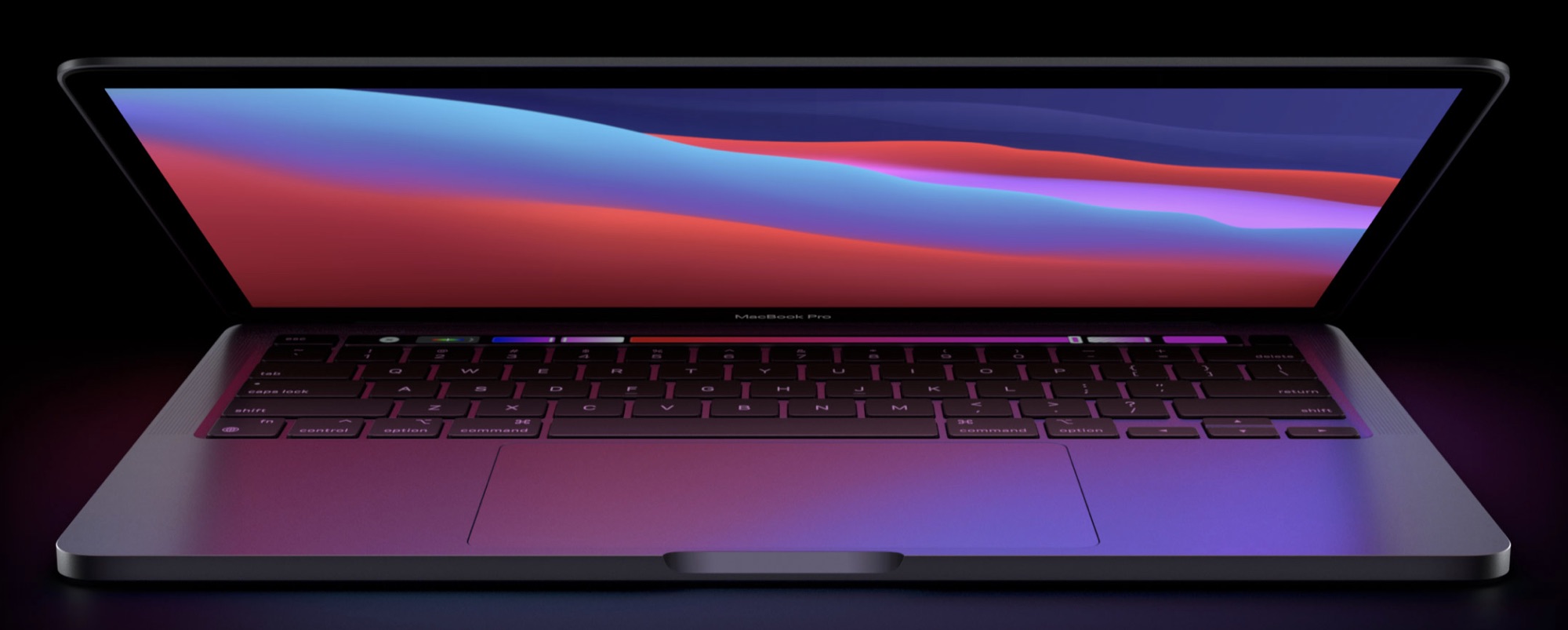
新しいiPhone12シリーズについて

10月14日にAppleからiPhone12シリーズ4機種の発表がありました。

続きを読む

Bridge Design Pattern

Bridge is a structural design pattern that allows you to divide a large class or a set of closely related classes into two separate hierarchies (abstraction and implementation) that can be developed independently of each other.

Bridge is a synonym for the expression “handle / body”. This is a design mechanism that encapsulates an implementation class within an interface class. The first is the body and the second is the handle. The user sees the identifier as the actual class, but the work is done in the body. “The idiom for the handle / body class can be used to decompose a complex abstraction into smaller, more manageable classes. The idiom can reflect the sharing of a single resource by multiple classes that control access to it (for example, the count of references)”.

  • Decouple an abstraction from your implementation so that the two can vary independently.
  • Publish the interface in an inheritance hierarchy and hide the implementation in its own inheritance hierarchy.

Lets take a look at the code samples I created as below.

PHP Code Sample

<?php

/**
 * This is the original application interface 
 * where we place the methods need to develop from its concrete sub classes
 */
interface ApplicationInterface
{
    public function setDbDriver(DbDriver $dbDriver);
 
    public function query($query);
}

/**
 * This abstract class will implements the interface as we have to reference the next hierarchy object here.
 * After that we can access the methods of their sub concrete classes in our sub classes. see below.
 */
abstract class Application implements ApplicationInterface
{
   protected $dbDriver;
 
   public function setDbDriver(DbDriver $dbDriver)
   {
       $this->dbDriver = $dbDriver;
   }
}

/**
* Concrete sub classes of the original class working with the reference object's method.
*/
class android extends Application
{
    public function query($query)
    {
        $query .= "\n\n running android app query\n";
 
        return $this->dbDriver->handleQuery($query);
    }
}
 
class ios extends Application
{
    public function query($query)
    {
        $query .= "\n\n running ios app query\n";
 
        return $this->dbDriver->handleQuery($query);
    }
}


/**
* This is the interface that need to be referenced by original class instead of inheritance.
*/
interface DbDriver
{
    public function handleQuery($query);
}

/**
* Concrete classes that will have the detail implementations of the interface.
*/
class MysqlDriver implements DbDriver
{
    public function handleQuery($query)
    {
        echo "\nUsing the mysql driver: ".$query;
    }
}
 
 
class OracleDriver implements DbDriver
{
    public function handleQuery($query)
    {
        echo "\nUsing the oracle driver: ".$query;
    }
}


//client code
// client doesn't need to know any implementation details. 
// Just build the original concrete class and inject the concrete object that will be referenced.
 
$android = new android();
$android->setDbDriver(new MysqlDriver());
echo $android->query("select * from table");
 
$android->setDbDriver(new OracleDriver());
echo $android->query("select * from table");
 

$ios = new ios();
$ios->setDbDriver(new MysqlDriver());
echo $ios->query("select * from table");

$ios->setDbDriver(new OracleDriver());
echo $ios->query("select * from table");
 

C# Code Sample

using System;
using System.Collections.Generic;

namespace HelloWorld
{
    /**
     * Two Original classes referencing the same DbDriver which is the next hierarchy object
     * After that we can access the methods of their sub concrete classes in our sub classes. query method in this case
     */
    class ApplicationInterface
    {
        protected DbDriver  _dbdriver;

        public ApplicationInterface(DbDriver  dbdriver)
        {
            this._dbdriver = dbdriver;
        }

        public virtual string setDbDriver()
        {
            return "Base DB Driver:" +
                _dbdriver.query();
        }
    }

    class RefinedAbstraction : ApplicationInterface
    {
        public RefinedAbstraction(DbDriver  dbdriver) : base(dbdriver)
        {
        }

        public override string setDbDriver()
        {
            return "Refined DB Driver:" +
                base._dbdriver.query();
        }
    }


    /**
    * This is the interface that need to be referenced by original class instead of inheritance.
    */
    public interface DbDriver 
    {
        string query();
    }

    /**
    * Concrete classes that will have the detail implementations of the interface.
    */
    class MysqlDriver : DbDriver 
    {
        public string query()
        {
            return "Using the mysql driver:\n";
        }
    }

    class OracleDriver : DbDriver 
    {
        public string query()
        {
            return "Using the oracle driver:.\n";
        }
    }

    // client doesn't need to know any implementation details. 
    // Just build the original class and inject the concrete object that will be referenced.
    class Client
    {
        public void ClientCode(ApplicationInterface applicationInterface)
        {
            Console.Write(applicationInterface.setDbDriver());
        }
    }

    class Program
    {
        static void Main(string[] args)
        {
            Client client = new Client();

            ApplicationInterface applicationInterface;

            applicationInterface = new ApplicationInterface(new MysqlDriver());
            client.ClientCode(applicationInterface);

            Console.WriteLine();

            applicationInterface = new RefinedAbstraction(new OracleDriver());
            client.ClientCode(applicationInterface);
        }
    }

}

By Yuuma.


アプリ関連ニュース

お問い合わせはこちら

お問い合わせ・ご相談はお電話、またはお問い合わせフォームよりお受け付けいたしております。

tel. 06-6454-8833(平日 10:00~17:00)

お問い合わせフォーム